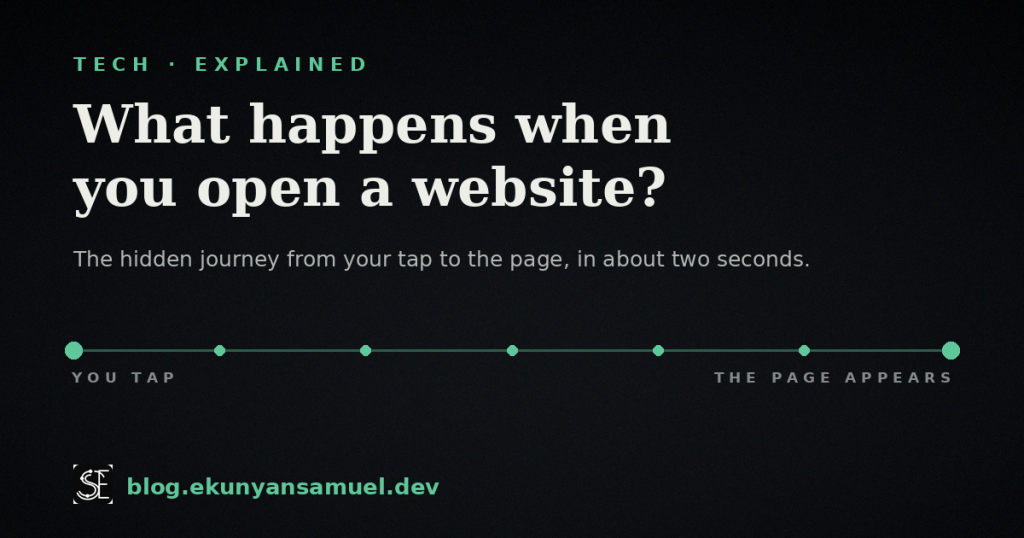
Here is a question worth being curious about: what happens when you open a website? You tap a link, wait less than the time it takes to sip your coffee, and a full page appears, words, pictures, buttons, all of it. It feels instant. It feels like magic. It is not. In those two seconds, your phone has a fast, polite, slightly frantic conversation with a computer that could be sitting on the other side of the planet.
I build the systems on the far end of that conversation for a living. So let me walk you through the whole journey, step by step. By the end, you will look at a loading page completely differently, and understand something most people use every day without ever seeing.
Key takeaways
- When you open a website, your device sends a tiny request on a round trip and gets a whole page back, usually in under two seconds.
- The journey has a handful of quick steps: finding the address, saying hello, locking the door, placing an order, and getting a reply.
- That little padlock in your address bar is a real security step, not decoration.
- “The cloud” is not a cloud. It is just someone else’s computer, doing this for millions of people at once.
What happens when you open a website, in one breath
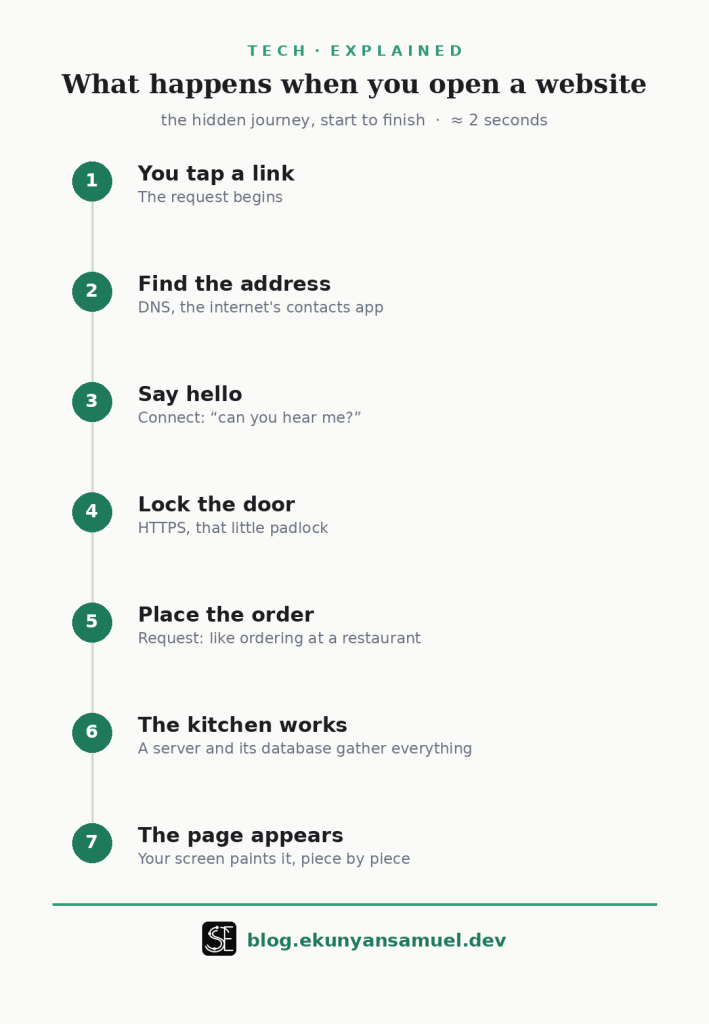
Before the slow walk-through, here is the whole thing in a single breath, so you have the shape of it.
You tap a link. Your device looks up where that website lives, calls it, agrees on a secret language so no one can eavesdrop, asks for the page, waits while the faraway computer gathers everything you asked for, and then your screen paints it all into the thing you see. That is it. Everything below is just that, slowed down so you can watch it happen.
Step 1: You tap, and a tiny messenger sets off
The moment you tap a link or hit enter, your device does not magically have the page. All it has is a name, something like ekunyansamuel.dev. A name is not a location. It is like knowing someone is called “Grandma” without knowing which house is hers.
So your device writes a tiny note that says, in effect, “I would like the page that lives at this name, please,” and prepares to send it. But it cannot send anything yet, because it does not know the address. Which brings us to the first real piece of cleverness.
Step 2: Finding the address (the internet’s contacts app)
Every website lives at a numbered address called an IP address, something like 192.0.2.45. Humans are terrible at remembering numbers like that, so we use names instead. But computers need the number.
So your device asks a kind of global contacts app, “what is the number for this name?” That contacts app is called DNS. You can think of it exactly like the contacts list on your phone: you tap “Grandma,” and your phone quietly looks up the actual number behind that name and dials it. DNS does the same thing for websites, billions of times a day, for the whole world.
Builder’s note: this lookup is so common that your device and the network keep little memory notes of recent answers, so they do not have to ask every time. That is why a site you just visited often opens faster the second time.
If you want the deeper version of how this global address book works, Cloudflare has a clear explainer on what DNS is.
Step 3: Knocking and saying hello (the connection)
Now your device has the number. But you do not just start shouting your request into the void. First, the two computers say hello and check that they can actually hear each other.
Picture making a phone call. It rings, the other person picks up, you say “hi, can you hear me?”, and they say “yes, go ahead.” Only then do you start talking. Computers do the exact same thing. This little “hello, I hear you, go ahead” handshake happens in a fraction of a second, and it makes sure the line is open and working before anything important is sent.
Step 4: Locking the door (that little padlock)
Here is the step almost nobody thinks about, and it protects you every day.
Before any real information is exchanged, the two computers agree on a secret code that only they understand. From that point on, everything they send is scrambled, so anyone trying to listen in, on the coffee shop wifi, on the network, anywhere in between, just hears nonsense.
That is what the little padlock icon next to the web address means. It is not decoration. It is the visible sign that the door is locked and the conversation is private. When a site does not have it, the conversation is happening out loud where others could listen. So the next time you are about to type a password and there is no padlock, that is your cue to stop.
Step 5: Placing your order (the request)
Door locked, line open, secret code agreed. Now your device finally makes its actual request. It says, in effect: “Please send me the homepage.”
The best way to picture this is ordering at a restaurant. You do not walk into the kitchen and cook. You tell the waiter what you want, and the waiter carries your order back to where the real work happens. Your request is the order. The faraway computer is the kitchen.
Step 6: The kitchen gets to work (the server and its filing cabinet)
The computer that receives your order is called a server. Despite the dramatic name, a server is just a computer whose entire job is to wait for requests and answer them. It never sleeps, and it is answering thousands of people like you at the same time.
When your order arrives, the server gets to work assembling your page. Often it needs to look things up, your name, your last order, today’s prices, a list of articles. It keeps all of that in a kind of giant, extremely organized filing cabinet called a database. The server pulls the right files, arranges everything into a finished page, and hands it back to be delivered to you.
Builder’s note: this is the part I spend most of my time on. A slow website is very often a slow kitchen, a server doing too much work, or asking the filing cabinet for things in a clumsy way. The visitor just sees a spinning circle. We see the kitchen.
Step 7: The page is plated and served (your screen paints it)
The finished page travels all the way back to your device, through the same locked, private channel. But it does not arrive as a picture. It arrives as a set of instructions: here is the text, here is where the image goes, here is what the button should do.
Your browser, the app you are reading this in, reads those instructions and paints the page onto your screen, piece by piece, faster than your eye can follow. Text first, usually, then images filling in, then the little interactive bits waking up. That last assembly is why a page sometimes appears in stages instead of all at once.
And then it is done. You see the page. The whole round trip, the lookup, the hello, the locked door, the order, the kitchen, the delivery, the painting, finished in about the time it took you to read this sentence.
Why your website sometimes feels slow (what happens when you open a website on a bad day)
Now that you have seen the steps, slowness stops being a mystery. A page feels slow when one of these steps takes too long.
Maybe the contacts-app lookup was sluggish. Maybe the faraway computer is far away, and the round trip is simply long. Maybe the kitchen is overwhelmed because thousands of people arrived at once. Maybe the page is enormous, packed with huge images that take time to deliver and paint. Each of those is a different step quietly struggling.
So the next time an app or site feels slow, you will know it is not “the internet being weird.” It is one of these specific conversations waiting on a reply.
Why this matters to you, even if you never write code
You do not need to build websites to benefit from understanding this. Knowing the journey changes how you use the web.
You will trust the padlock and pause when it is missing. You will understand that “the cloud” storing your photos is really just these same servers, someone else’s computers, holding your files and sending them back on request. You will know why reusing the same password everywhere is dangerous, because every login is one of these conversations, and if one is overheard, the rest fall too. And you will be a little harder to fool, because the magic now has moving parts you can name.
That is the whole point of understanding technology. Not to become an engineer, but to stop being at the mercy of a thing you use every day.
If you are now curious about what that “kitchen” is actually built with, I wrote a companion guide on how to choose a backend programming language. It goes one step deeper.
Frequently asked questions
What is DNS in simple terms? DNS is the internet’s contacts app. You know a website by its name, but computers need its number, and DNS quietly looks up the number behind the name, the same way your phone finds Grandma’s number when you tap her name.
Why do websites load slowly sometimes? Because one step in the journey is taking too long. The faraway computer might be busy, the round trip might be long, or the page might be heavy with large images. Slowness is almost always one specific step waiting on a reply.
What does the padlock in the address bar mean? It means the conversation between your device and the website is locked and private, scrambled so no one in between can read it. If you are entering a password or card details and the padlock is missing, treat that as a warning.
What is a server? A server is just a computer whose only job is to wait for requests and answer them. It never sleeps and serves many people at once. “The cloud” is simply a lot of these servers, someone else’s computers, working on your behalf.
Does all of this really happen in seconds? Yes. The entire round trip, finding the address, saying hello, locking the door, placing the order, and painting the page, usually happens in under two seconds, and often much faster.
Curious how the technology you use every day actually works? That is what I do here every week: take something you use without thinking, and show how it really works. Find more at blog.ekunyansamuel.dev.